— Gallery
See the code, see the window.
Each example is a complete app; the picture is that exact code, run by guile.
A fixed-width input card next to a results card that fills the rest. How-to: common layouts →
import guile as gui

crop = gui.state("Wheat")
rate = gui.state(60)

@gui.app("Two columns", width=640, height=330)
def ui():
    with gui.row(gap=16, padding=16, align="flex-start"):
        with gui.card(gap=12, style="width:220px;flex-shrink:0"):
            gui.title("Inputs", size="lg")
            gui.select(["Wheat", "Corn", "Soybean"], "Crop",
                       value=crop, on_change=crop.set)
            gui.slider("N rate (kg/ha)", value=rate,
                       on_change=rate.set, min=0, max=200)
            gui.button("Run model")
        with gui.card(gap=10, fill=True):
            gui.title(f"{crop.value} at {rate.value} kg/ha", size="lg")
            gui.table([
                {"Month": "Apr", "Biomass": 1.2, "LAI": 0.8},
                {"Month": "May", "Biomass": 3.9, "LAI": 2.6},
                {"Month": "Jun", "Biomass": 7.4, "LAI": 4.1},
            ])

gui.run()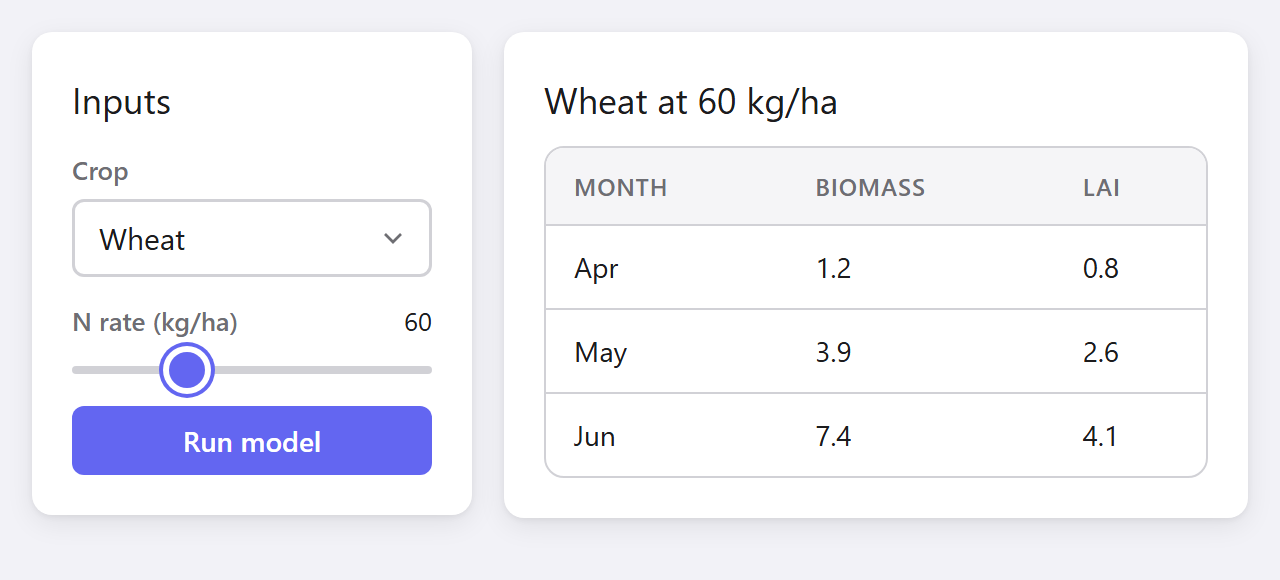
Inputs, selects, dates, sliders, badges, progress and buttons. Reference: all widgets →
import guile as gui

@gui.app("Widgets", width=640, height=470)
def ui():
    with gui.row(gap=16, padding=16, align="flex-start"):
        with gui.card(gap=12, fill=True):
            gui.input("Site name", placeholder="e.g. Konza Prairie")
            gui.number_input("Depth (cm)", value=30, min=0, step=5)
            gui.select(["Silt loam", "Clay", "Sand"], "Soil texture")
            gui.date_input("Sampling date", value="2026-06-15")
            gui.slider("Moisture (%)", value=24, min=0, max=50)
        with gui.card(gap=12, fill=True):
            gui.checkbox("Irrigated", value=True)
            gui.textarea("Notes", placeholder="Field observations...")
            with gui.row(gap=8):
                gui.badge("Active")
                gui.badge("Pending", variant="warning")
                gui.badge("Error", variant="danger")
            gui.progress(65)
            with gui.row(gap=8):
                gui.button("Save")
                gui.button("Cancel", variant="ghost")

gui.run()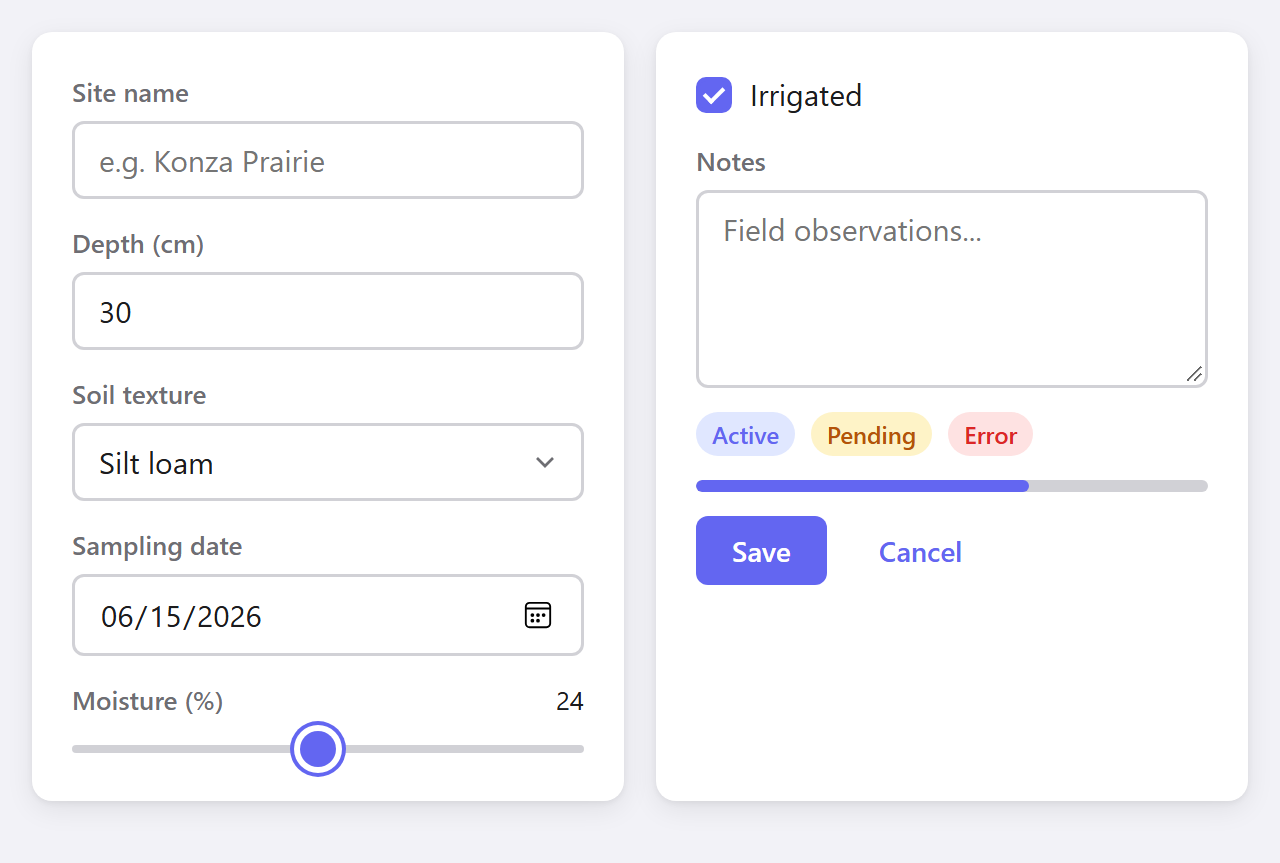
gui.tabs() returns the active label; the panel is a plain if/elif. How-to: tabs →
import guile as gui

records = [
    {"Station": "Manhattan", "Rain (mm)": 12.4, "Temp (C)": 24.1},
    {"Station": "Hays",      "Rain (mm)":  3.1, "Temp (C)": 27.8},
    {"Station": "Colby",     "Rain (mm)":  0.0, "Temp (C)": 29.5},
]

@gui.app("Tabs", width=560, height=300)
def ui():
    with gui.col(padding=20, gap=14):
        gui.title("Mesonet")
        tab = gui.tabs(["Overview", "Data", "Info"],
                       value="Data", key="tabs")
        if tab == "Overview":
            gui.text("Summary statistics here.")
        elif tab == "Data":
            gui.table(records)
        else:
            gui.text("Built with guile.", muted=True)

gui.run()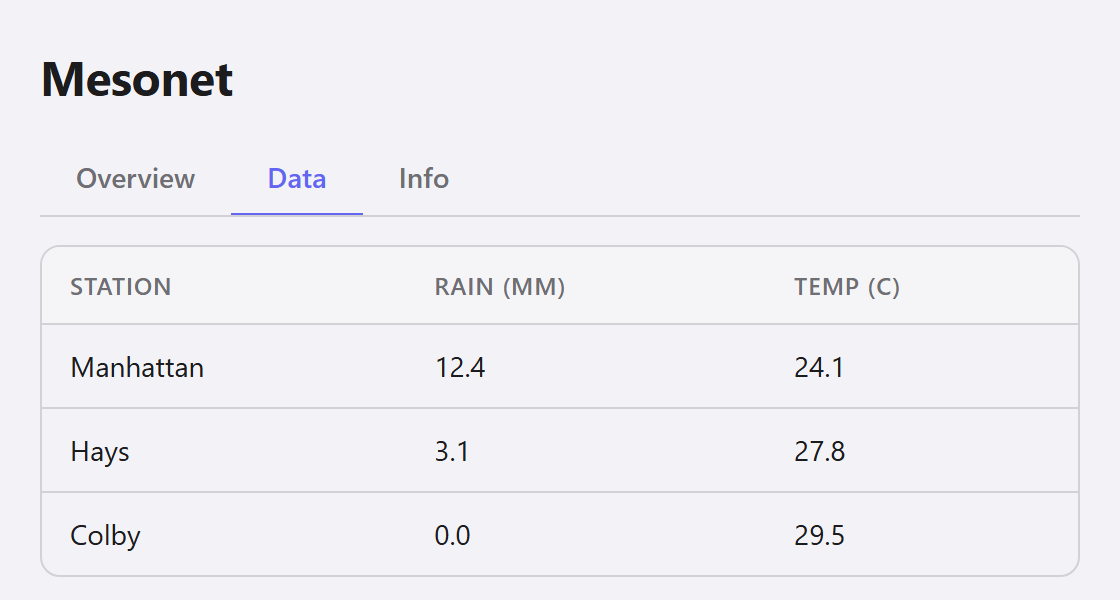
Icon + label rails for sidebars and toolbars, with ~2100 bundled icons. How-to: button rails →
import guile as gui

@gui.app("Button rail", width=600, height=330)
def ui():
    with gui.row(gap=0, align="stretch", style="height:100vh"):
        with gui.col(padding=10, style="background:var(--surface-2);"
                                        "border-right:1px solid var(--border)"):
            page = gui.rail([
                {"label": "Home",     "icon": gui.icon("home")},
                {"label": "Data",     "icon": gui.icon("table")},
                {"label": "Map",      "icon": gui.icon("map")},
                {"label": "Settings", "icon": gui.icon("settings")},
            ], value="Data", key="nav")

        with gui.col(padding=24, gap=14, fill=True):
            gui.title(page)
            gui.rail(["Bars", "Lines", "Table"], value="Lines",
                     orientation="horizontal", border=True, key="view")
            gui.text("Pick a view above; the panel is a plain if/elif.",
                     muted=True)

gui.run()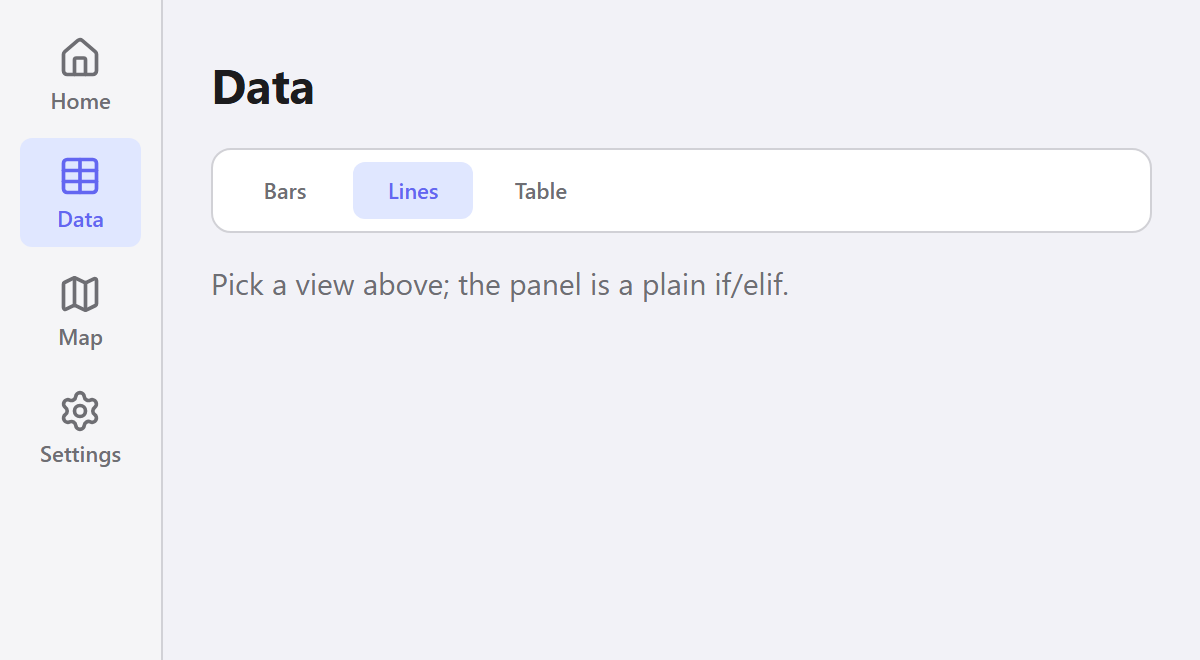
Interactive Leaflet maps on OpenStreetMap, with markers, overlays and drawing. How-to: maps →
import guile as gui

STATIONS = [("Manhattan", 39.21, -96.59), ("Hays", 38.85, -99.34),
            ("Colby", 39.39, -101.07), ("Garden City", 38.00, -100.82),
            ("Hutchinson", 37.93, -98.02), ("Cherokee", 37.20, -94.98)]

picked = gui.state("Click a station")

@gui.app("Map", width=720, height=380)
def ui():
    with gui.row(gap=16, padding=16, align="flex-start"):
        with gui.card(gap=12, style="width:190px;flex-shrink:0"):
            gui.title("Mesonet", size="lg")
            gui.badge(f"{len(STATIONS)} stations")
            gui.text(picked.value, muted=True, size="sm")
        with gui.card(padding=8, fill=True):
            gui.leaflet(center=(38.5, -98.3), zoom=6, height=320, key="map",
                        markers=[gui.Marker((lat, lon), tooltip=name,
                                     on_click=lambda n=name: picked.set(n))
                                 for name, lat, lon in STATIONS])

gui.run()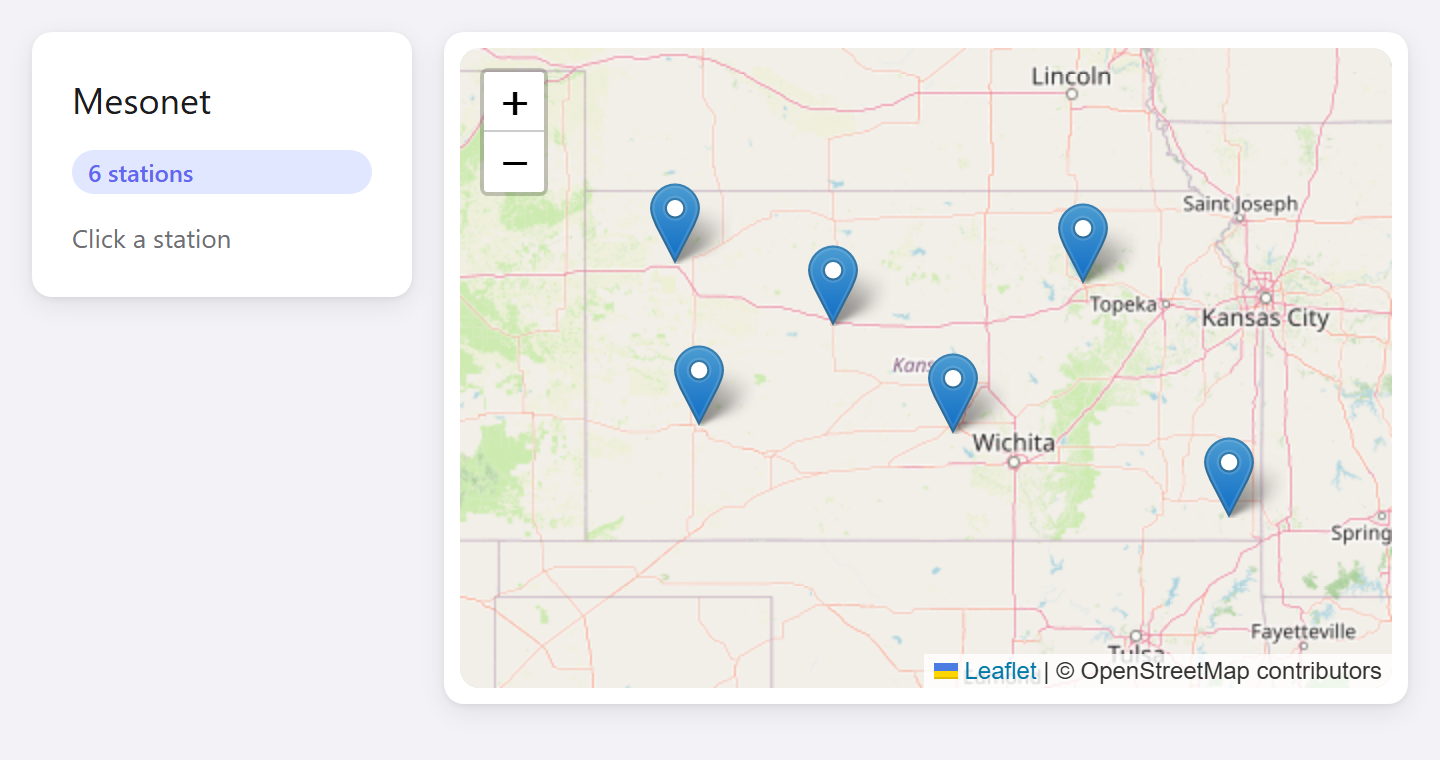
Equal-width cards from a plain for loop: give each one fill=True. How-to: common layouts →
import guile as gui

METRICS = [("Rainfall", "412 mm"), ("Mean temp", "18.4 °C"),
           ("Stations", "62"), ("Uptime", "99.8%")]

@gui.app("Dashboard", width=720, height=200)
def ui():
    with gui.row(gap=12, padding=16):
        for label, value in METRICS:
            with gui.card(fill=True, gap=4):
                gui.text(label, muted=True, size="sm")
                gui.text(value, size="2xl", bold=True)

gui.run()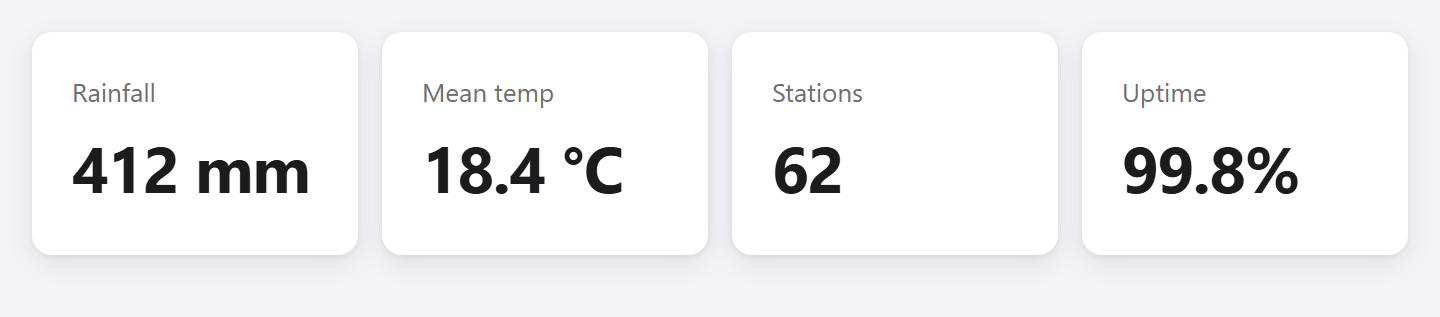
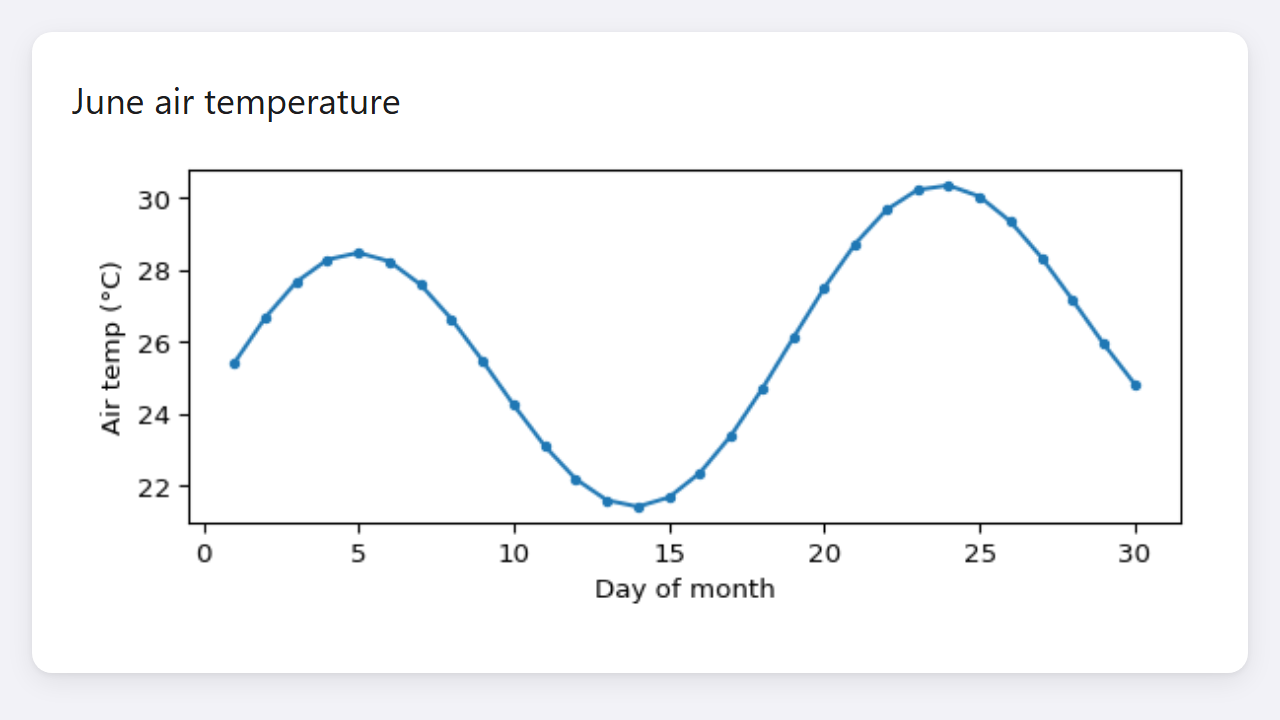
Any matplotlib figure, rendered in place with gui.figure(). Reference: gui.figure() →
import math
import guile as gui
import matplotlib.pyplot as plt

days = list(range(1, 31))
temps = [24 + 4 * math.sin(d / 3) + d * 0.1 for d in days]

def make_plot():
    fig, ax = plt.subplots(figsize=(6, 2.6))
    ax.plot(days, temps, marker="o", markersize=3)
    ax.set_xlabel("Day of month")
    ax.set_ylabel("Air temp (°C)")
    fig.tight_layout()
    return fig

@gui.app("Figure", width=640, height=360)
def ui():
    with gui.card(gap=8, style="margin:16px"):
        gui.title("June air temperature", size="lg")
        gui.figure(make_plot())

gui.run()